

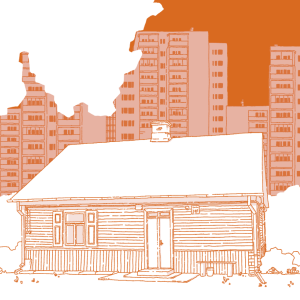
We invite you to download the digital versions of the book ‘Architektura drewniana Warszawy. Poradnik dobrych praktyk’.
A meeting attended by Iwona Bartnik and Hubert Kosińca – the authors – and Michał Krasucki – Director of the Office of the Capital City Conservator – took place online on Wednesday 21 December 2022 at 6.00 pm.
The book in PDF format can be downloaded here:
Poradnik dobrych praktyk architektonicznych Architektura drewniana Warszawy (22MB)
The book in MOBI format can be downloaded here:
Poradnik dobrych praktyk architektonicznych Architektura drewniana Warszawy (48MB)
The book in ePUB format can be downloaded here:
Poradnik dobrych praktyk architektonicznych Architektura drewniana Warszawy (21MB)
How to use ePUB and MOBI files.
An e-book is an electronic version of a paper book that can be read on a computer, laptop, smartphone, tablet and on many e-readers, such as Kindle, iPad, Pocketbook, Onyx, etc.
An e-book is a file saved in ePUB or MOBI format. At present, the universal format allowing you to read an e-book on any e-reader or computer is the ePUB file.
The MOBI file is a format read by Amazon’s Kindle e-reader.
Recently, it has become possible to send ePUBs directly to a Kindle (via the cloud or by email to the device’s address. When sending the file to the Kindle, Amazon automatically converts it to MOBI).
You can also transfer an ePUB file to your Kindle yourself. The tool https://www.amazon.com/sendtokindle is used for this purpose.
However, an existing MOBI file can be uploaded directly to the Kindle via a cable.
To read an e-book on a computer, you need to install the appropriate software, such as Calibre (which supports ePUB and MOBI formats) or Adobe Digital Editions (which supports ePUB).
E-books are designed to display easily and comfortably on e-readers, meaning the presentation of the text is slightly different from that of a paper book:
– the page (screen) layout is vertical and single-page (unlike a paper book, there are no spreads, i.e. facing pages)
– the tablet’s screen size (diagonal) is significantly smaller than a page in a paper book (it is approximately 25% of a printed page)
– the text of an e-book is dynamic, meaning it flows freely across screens depending on the reader’s individual settings; the reader can freely adjust the font size and typeface, margin width, line spacing, etc.
When reading on a computer, it is worth remembering that the monitor’s screen is significantly larger than the format of a printed book or a tablet.
Any enlargement of the application window or change to the text display settings will cause both the text and any graphics it contains to flow.
Thanks to the fluid text, every user can freely adjust the readability of the ‘page’.